

You Cannot Manage What You Cannot See
The Missing Layer in AI Agent Workflows

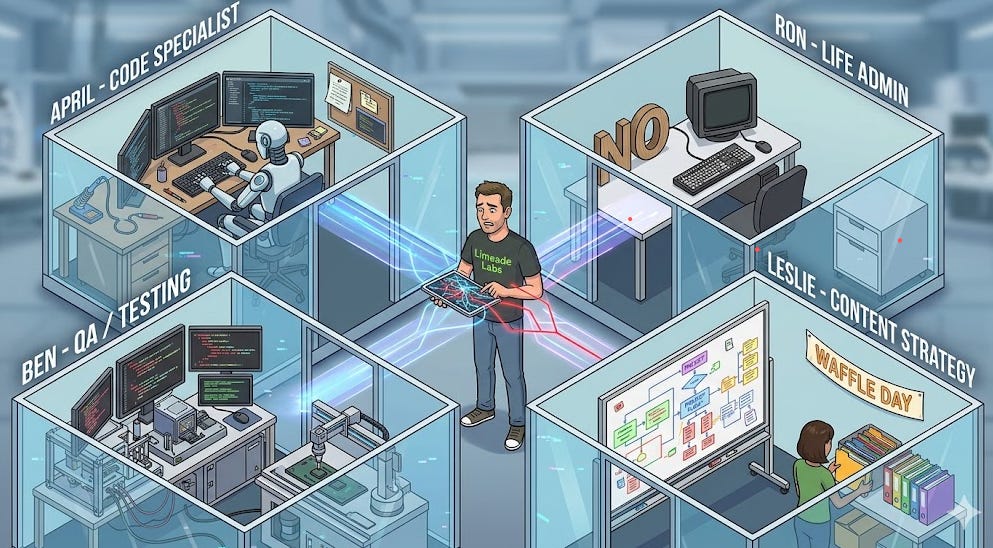
I recently wrote about splitting my single AI agent into a team of specialists. Ron handles life admin. April writes code. Ben does QA. Leslie runs content strategy. (Yes, they are named after Parks and Rec characters. Yes, it helps me keep track of who does what.)
That post resonated because a lot of people are hitting the same wall: one agent doing everything stops working past a certain complexity threshold. But splitting into multiple agents introduced a new problem I did not see coming.
I had no idea what any of them were doing.
The Claude Code Comfort Zone
When you work with a single coding agent, you have a built-in monitoring solution: your eyeballs. You sit and babysit the terminal. You watch the agent think through a problem, write code, run tests. If something goes wrong, the context is right there in front of you.
This is fine. It is also a ceiling.
The moment you want agents working in parallel, or working while you sleep, or working on tasks you assigned three days ago, that real-time terminal view becomes useless. You cannot babysit four terminals simultaneously. And even if you could, you should not have to. The whole point of agents is that they work without you hovering.
But leaving that terminal behind means leaving the log of actions behind too. And that is where things get uncomfortable.
What I Actually Needed
When I started running into problems (an agent making a weird architectural choice, two agents stepping on each other’s code, token costs spiking on a task that should have been simple) I realized I could not answer basic questions:
Who touched this? Which agent picked up the task? Was it the right one? Did another agent also work on related files?
What did they do? Not the final output, but the steps. What did the agent read? What did it try first? Where did it pivot? This is the difference between knowing an agent “completed a task” and understanding whether it did it well.
How expensive was it? Token usage per agent, per task, per day. When you are running multiple agents on Opus, costs add up fast. Without per-task attribution, you cannot optimize. You just watch the bill grow.
Why did it break? When an agent produces a bad result (and they will) you need the chain of reasoning. Not to punish the agent, but to improve the prompt, the context, or the workflow for next time.
Building the Observability Layer
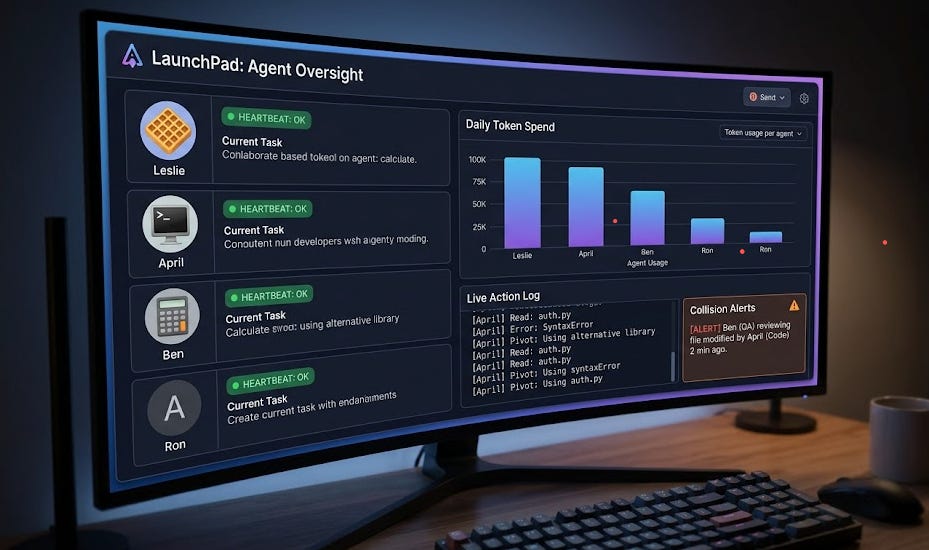
So I built it into LaunchPad, the AI agent and project management tool I have been dogfooding for all of Limeade Labs’ work. LaunchPad was already tracking tasks, but I added the agent-specific monitoring layer on top:
Agent assignment tracking. Every task records which agent claimed it, when they started, and when they finished. If an agent goes silent mid-task, stale claim detection flags it.
Action logging. Key decisions and steps get recorded as task comments. Not every API call, but the meaningful checkpoints. Agent read these files, tried this approach, hit this error, pivoted to this solution.
Token attribution. Per-agent, per-task token usage. This turned out to be one of the most valuable metrics. I found one agent was burning 3x the tokens on similar tasks because its context window was bloated with irrelevant project briefs.
Cross-agent awareness. When two agents are working on the same project, the system tracks potential collisions. Did agent A modify a file that agent B was about to read? Did they both try to claim the same task?
Heartbeat monitoring. Each active agent sends periodic heartbeats. If an agent goes dark (crashed session, stuck in a loop, lost connection) I know within minutes instead of discovering it hours later when the work did not get done.
The Context Problem Nobody Talks About
Observability tells you what happened. But there is an equally important problem that shows up the moment you go multi-agent: how does each agent know what it needs to know?
When you run one agent, context management is simple. You put everything in the workspace files (SOUL.md, AGENTS.md, MEMORY.md, TOOLS.md) and the agent reads them on startup. Fine for a solo setup.
Now multiply that by four agents, each working on different projects, some shared across users. Suddenly you are hand-editing config files across multiple workspaces, trying to keep project instructions in sync, hoping each agent has the right context for the task it just picked up. It does not scale.
So we centralized it. All project instructions, workflow rules, agent assignments, and conventions live in LaunchPad. This week we shipped a bootstrap API endpoint that agents call on startup. One API call, and the agent gets: which projects it is assigned to, what the workflow rules are, what conventions to follow, any project-specific instructions. One source of truth instead of scattered markdown files across multiple workspaces.
The result: when I add a new project or change how a workflow should run, I update it in one place. Every agent picks it up on their next session. No manual file edits, no config drift, no “why did this agent not know about the new deploy process?”
This is the unglamorous infrastructure work that nobody talks about because it is not as exciting as “my agent wrote an entire app.” But it is what makes the difference between agents that work in a demo and agents that work in production.
The Microservices Parallel
If this sounds familiar, it should. We solved the observability problem in backend engineering a decade ago. When companies moved from monoliths to microservices, the first thing that broke was visibility. You could not just tail one log file anymore. You needed distributed tracing, service meshes, centralized logging, health checks.
AI agents are following the same arc. Right now, most people are in the “monolith” phase: one agent, one session, one terminal. But the moment you go multi-agent, you need the same infrastructure patterns:
Tracing: Follow a task from assignment through completion across agent handoffs
Health checks: Know which agents are alive and responsive
Cost attribution: Know where your compute budget is going
Audit trails: Reconstruct what happened after the fact
But the parallel goes deeper than observability. I used to tell small engineering teams to stick with a monolith. Do not prematurely optimize by breaking into microservices until you actually hit scaling problems. The overhead slows teams down.
With agents, I have reversed that position. When you have multiple agents touching the same codebase, it starts to feel like a much larger team stepping on each other’s toes. One agent refactors a module while another is building a feature that depends on it. An agent rewrites a helper function without realizing three other services call it.
Splitting into services is not about scale anymore. It is about blast radius. An agent working in a smaller, scoped codebase can do less damage when something goes sideways. A bad decision in a 500-line service is recoverable. A bad decision in a 50,000-line monolith can cascade. (I wrote about this reversal on X recently. It was one of those opinions I never expected to change, and yet here we are.)
That said, it depends entirely on your product and how your agents work. If you have one agent doing focused tasks on a well-structured monolith, splitting might add overhead without benefit. But the moment multiple agents are writing code in the same repo at the same time, microservices start making sense for reasons the original microservices advocates never imagined.
The tooling for all of this is not there yet in the ecosystem. Most agent frameworks assume you are watching in real-time. The “run agents in the background and check results later” workflow barely exists outside of custom setups.
What I Am Not Doing
I want to be clear about what this is not. I am not recording every API call or building a surveillance system for my AI agents. That would be expensive, noisy, and pointless.
The goal is the same as any good observability system: normal operations should be invisible. You only need the data when something goes wrong, when you are optimizing, or when you are trying to understand a pattern.
Most days, I do not look at any of this. The agents do their work, tasks move across the board, things get done. But when a client deliverable has a weird data quality issue, or when my token bill spikes, or when a task sits untouched for 12 hours, that is when the monitoring earns its keep.
The Continuous Improvement Loop
The monitoring is not the point. What it enables is: a feedback loop for your agent workflows that compounds over time.
Every week, I can look at the data and ask:
Which agent types are most efficient (tokens per completed task)?
Where are the bottlenecks (tasks that sit in queue longest)?
What kinds of tasks have the highest error or retry rate?
Are there patterns in the failures that suggest a prompt or context fix?
This is how you go from “I have AI agents” to “I have AI agents that get better over time.” Without the data, you are just guessing.
Coming Up
I am going to be diving deeper into all of this next Wednesday at Raleigh Founded on North Street, 4-7pm. The practical patterns, the mistakes I made, and what is actually working in production. If you are running agents beyond the demo stage or thinking about it, come hang out (Registration link: https://luma.com/o3cmcku6).